macOS 13+ · Native Swift · No Subscription

Screenshots with somewhere to go.

Annotate, pull text, route to whatever tool comes next. Plugins handle the destinations.

From $24.99 — one-time purchase.

Everything you need. Nothing you don't.

🎯

Precision capture

Region, window or scrolling. L-bracket cursor shows exactly where the bounds are.

✏️

Quick annotations

Arrows, rectangles, text and blur, on a frosted-glass toolbar. Auto-numbered step circles in one click.

🔒

Auto-redact

One click finds and blurs emails, API keys, credit cards, IPs and phone numbers. On-device via Apple Vision.

🎨

Beautify

Gradient background, rounded corners, shadow. Eight presets, sliders for the rest.

📌

Pin & history

Pin a capture as a floating always-on-top window. Last 20 captures live in the menu bar.

📜

Scrolling capture

Auto-scrolls long pages and stitches the result into a single tall image.

🧩

Plugins

Send to Imgur, Slack, Notion, Linear, S3, R2 and 20 more. Or write your own JSON manifest.

Browse 26 plugins →
🔤

Extract text (OCR)

On-device OCR via Apple Vision. Capture, copy, paste. Nothing leaves your Mac.

🎬

Screen recording

Region recording to MP4 at 30fps. Floating stop button. Saves to Downloads.

🛡️

Privacy first

100% local. No accounts, no cloud uploads, no telemetry. Your screenshots stay on your Mac.
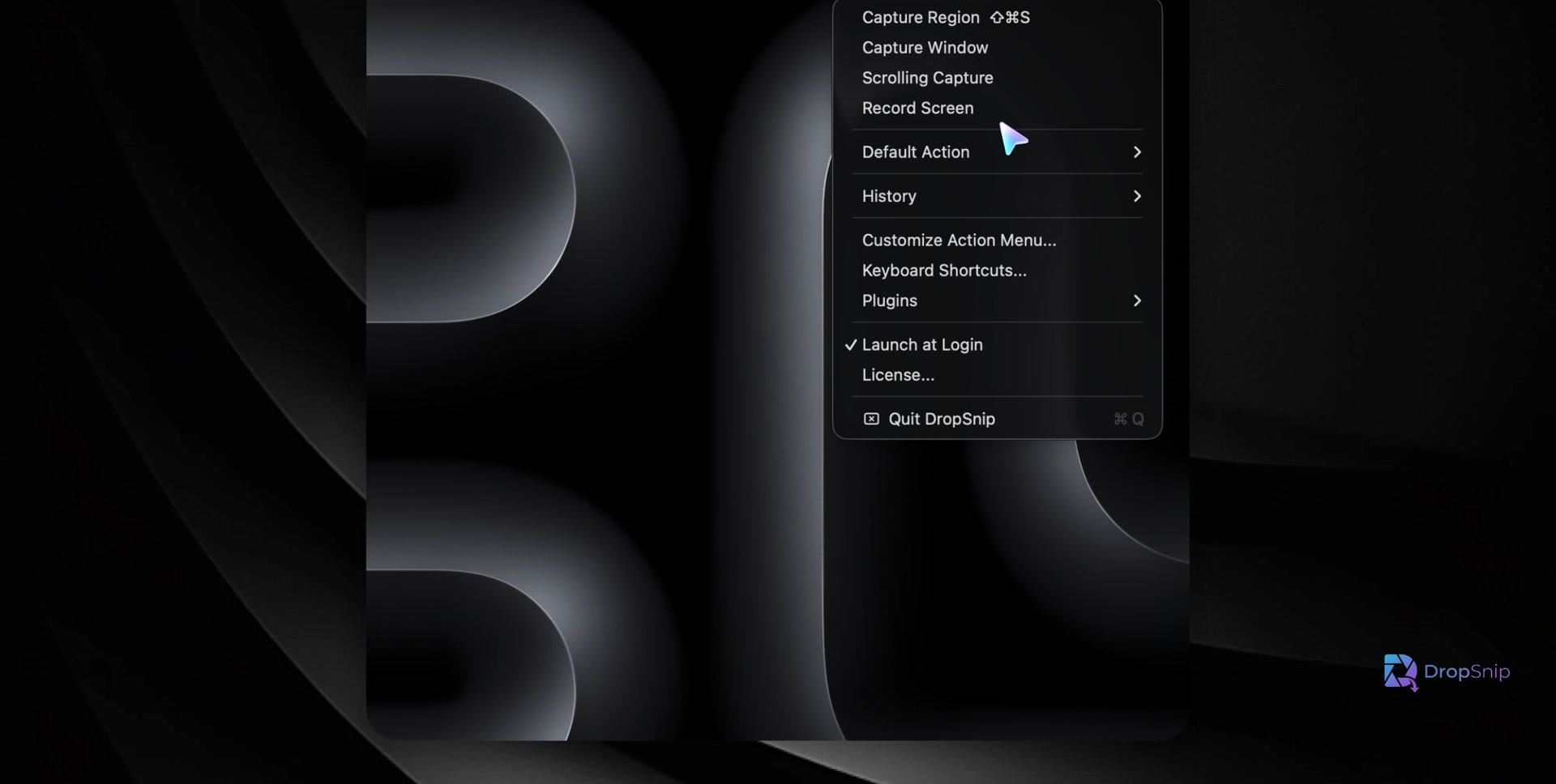
DropSnip menu bar dropdown showing Capture Region, Capture Window, Scrolling Capture, Record Screen, Default Action, History, Keyboard Shortcuts, and Plugins

Everything lives in the menu bar. One click to capture, one shortcut to launch.
Step numbers, arrows, blur — in seconds

Tutorials, bug reports, support replies. Click to drop auto-incrementing step circles. Drag arrows where they need to go. Blur anything sensitive before you share.

  • Auto-numbered step circles (1, 2, 3…)
  • Arrows, rectangles, text labels, freehand
  • Blur tool with one-click auto-redact for emails, keys, IPs
  • Frosted-glass toolbar that stays out of the way

Pull text out of anything you can see

Capture a region, hit Extract Text, paste anywhere. Apple Vision handles the OCR on-device. No accounts, no API keys, no upload.

  • On-device OCR — works offline, nothing leaves your Mac
  • Reads code, terminals, dashboards, scanned PDFs
  • Selectable, copyable, ready to paste

One click from raw capture to ready-to-ship

Background gradient, rounded corners, drop shadow. Eight presets that match common decks and docs, or dial it in yourself.

  • Presets: Sunset, Ocean, Forest, Lavender, Midnight, and more
  • Padding, corner radius, shadow — sliders with live preview
  • Apply & Copy, or Apply & Save, in one step

Plugins handle the destinations

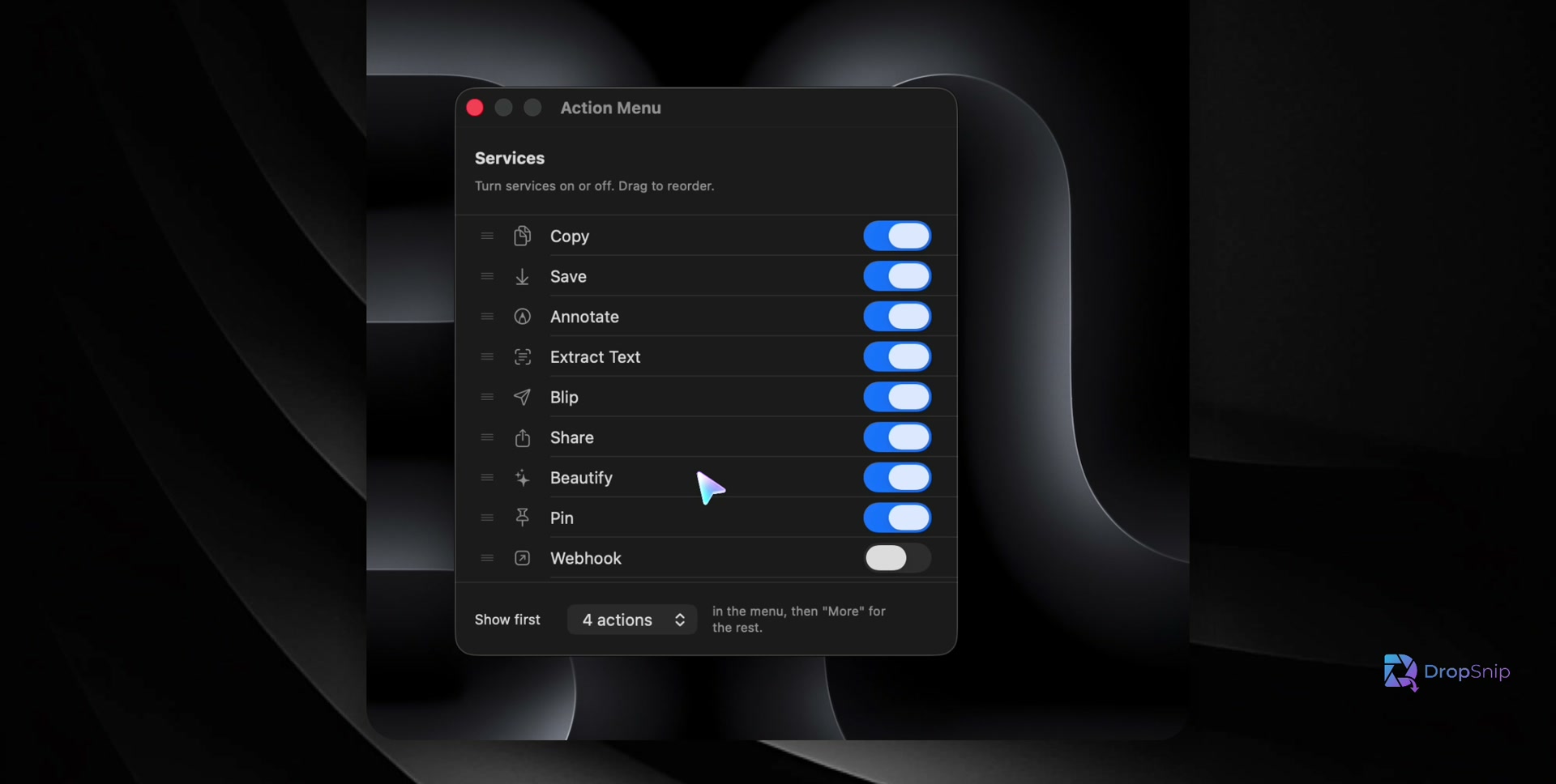
The action menu is the screenshot's exit ramp. Imgur, Slack, Notion, Linear, Jira, S3, R2 — 26 plugins ship-ready. Or write a JSON manifest and drop it in.

  • 26 plugins across image hosting, cloud, tasks, chat, issue tracking
  • URL actions, shell commands, base64-JSON bodies
  • Drag to reorder, toggle on/off, install from file or URL
Browse the plugin library →
DropSnip Action Menu settings panel showing drag-to-reorder services with toggles for Copy, Save, Annotate, Extract Text, Blip, Share, Beautify, Pin, and Webhook

How DropSnip stacks up

Feature DropSnip ($24.99) CleanShot X ($29) Shottr (Free) macOS Built-in
Region Capture ✓ ✓ ✓ ✓
Window Capture ✓ ✓ ✓ ✓
Scrolling Capture ✓ ✓ ✓ ✗
Annotations ✓ ✓ ✗ ✗
Step Numbers ✓ ✗ ✗ ✗
Auto-Redact ✓ ✗ ✓ ✗
Beautiful Backgrounds ✓ ✓ ✗ ✗
Pin Screenshots ✓ ✓ ✓ ✗
Plugin System ✓ ✗ ✗ ✗
Extract Text (OCR) ✓ ✗ ✓ ✗
Screen Recording ✓ ✓ ✗ ✗
No Subscription ✓ ✓ ✓ ✓
100% Local / No Cloud ✓ ✗ ✓ ✓

One price, no subscription, ads or data sold.

DropSnip

$24.99

One-time purchase.

  • All capture modes (region, window, scrolling)
  • Full annotation toolkit
  • Auto-redact sensitive info
  • Beautiful backgrounds & presets
  • Pin & screenshot history
  • Extract Text (on-device OCR)
  • Screen recording to MP4
  • Plugin system & bundled plugins
Buy DropSnip

Requires macOS 13 Ventura or later


Launch discount

Drop your email for up to 50% off.